 ByeByeX
Big feelings.
Little steps.
Whatever side of a breakup you’re on, you don’t have to carry it all at once. Check in, put memories away and find a little company.
Try a little check-in Tap a mood
Every feeling has a place here.Meet your mood companion with a tap.
No right way to feel. No rush to move on.Website demo · nothing is saved.
Invite-only beta · Made for Australia
App screens with example content
What do you need today?
Start wherever you are.
There’s a space for that.
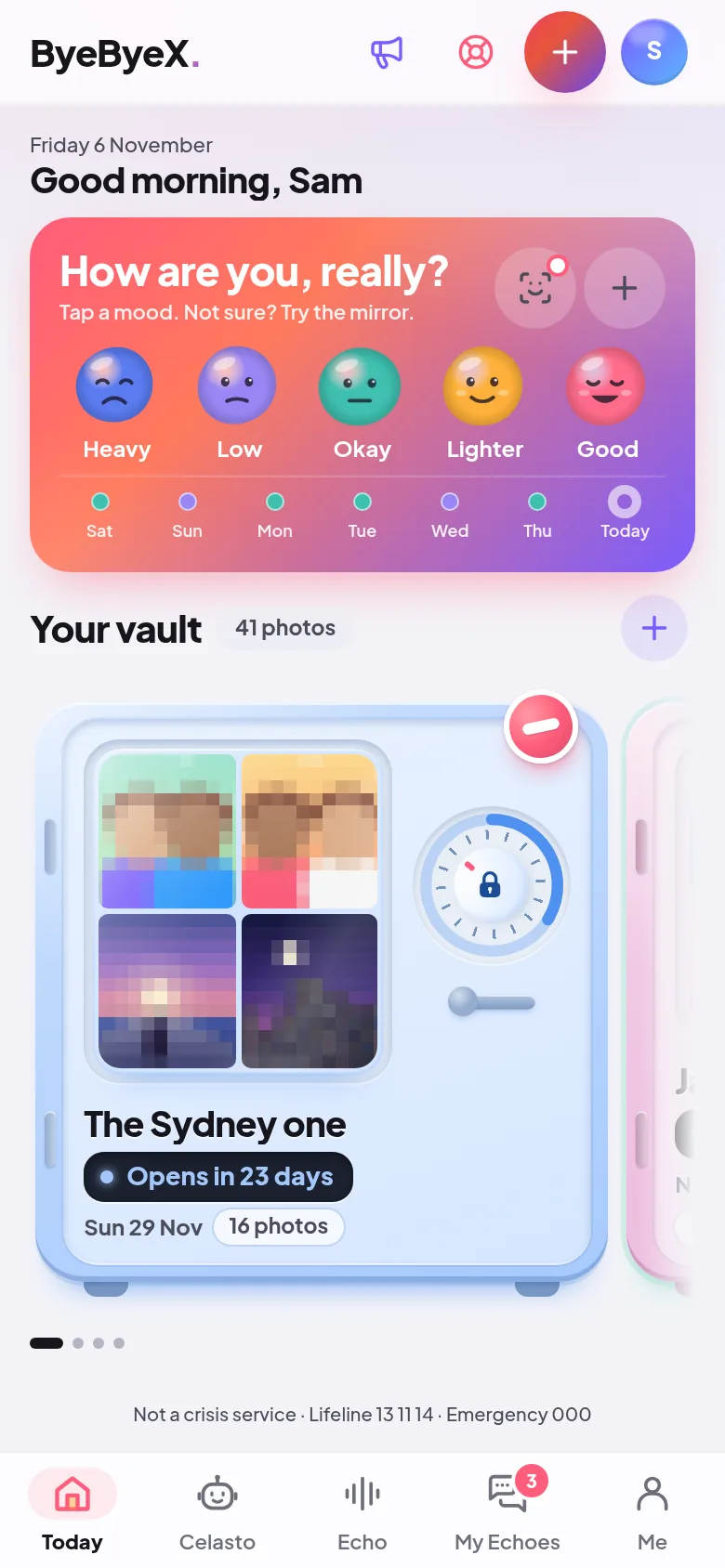
How are you, really?
Heavy, low, okay, lighter, good. A quick check-in gives today’s feeling a little room, without asking you to explain it away.
- Your mood pet changes with your check-in.
- Try Mood Mirror with your camera or a selfie. The image stays on your device.
- Keep a separate photo vault for each ex, right here on Today.
A face isn’t a feeling. With Mood Mirror, you always have the final say.
You don’t need the right words.
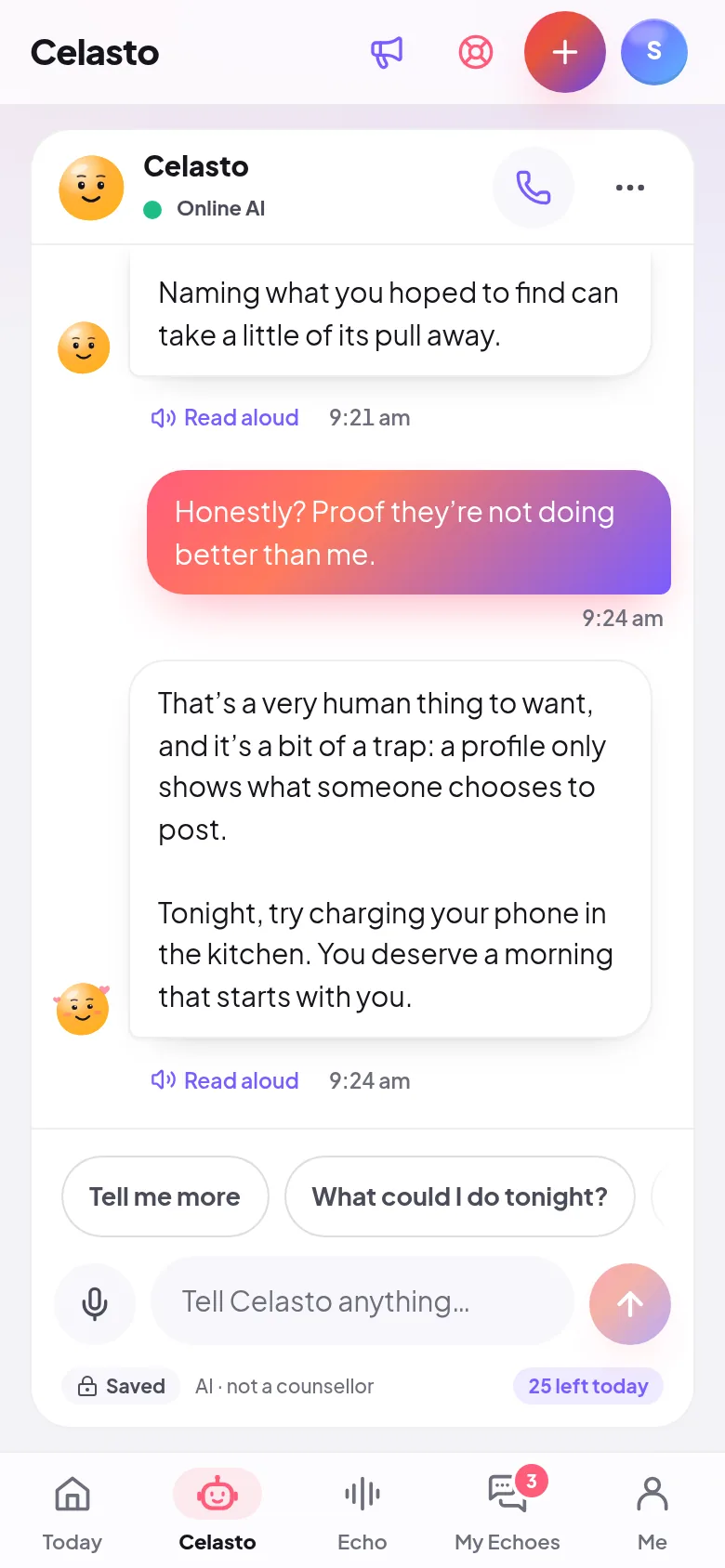
Write what’s on your mind, listen to a reply or start a voice call with Celasto, your AI companion.
- Text, read aloud or talk in your own voice.
- Preview a female or male voice and choose what feels comfortable.
- See your remaining messages and call minutes in the app.
Celasto is AI, not a human or a psychologist. It can make mistakes.
Someone who gets this part.
Find a one-to-one introduction based on the stage, situation and focus you choose, or share with the community.
- An alias and a pet introduce you, with no public profile photo.
- Share words or a photo with face-covering stamps.
- Review every photo before posting. Only the stamped copy uploads, without photo metadata.
Peer support at your pace. You choose what you share.
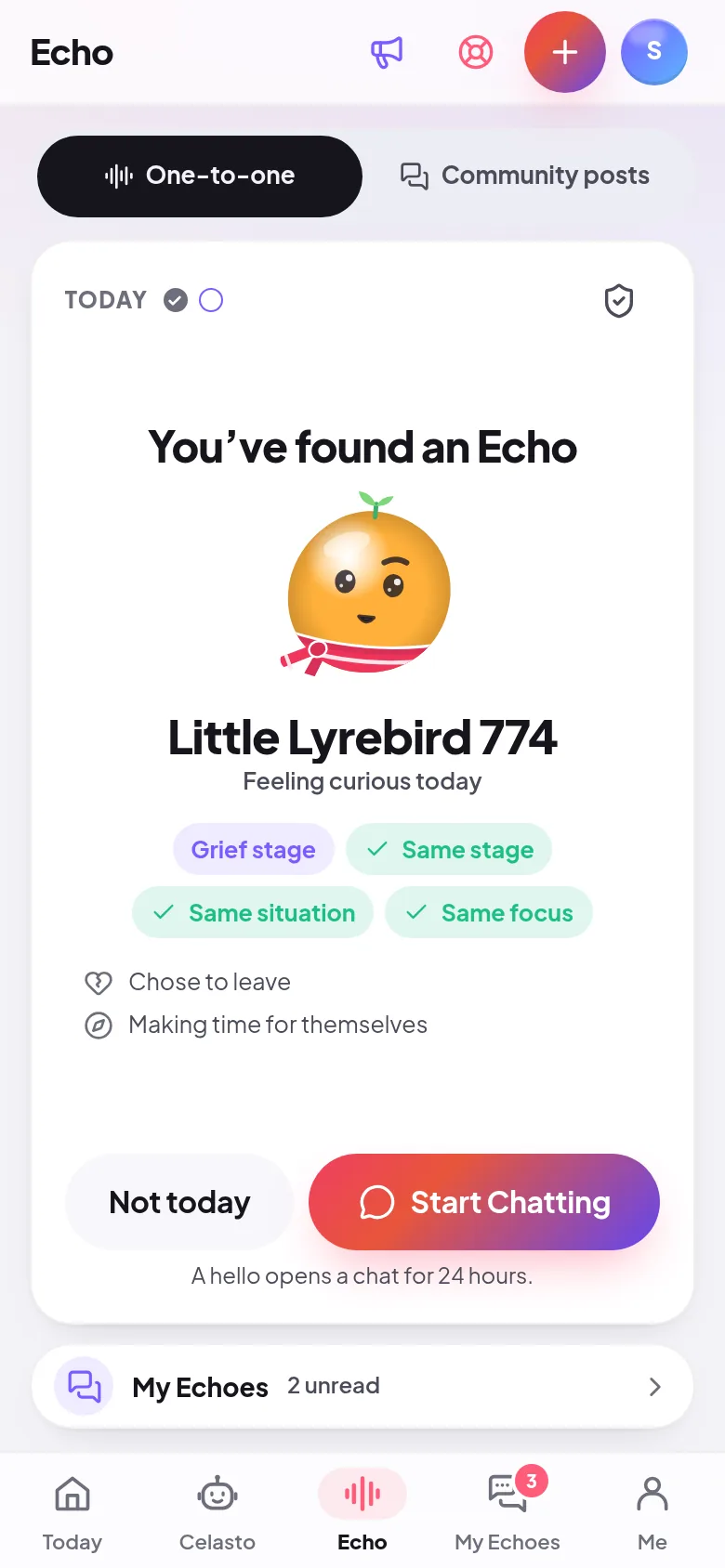
A conversation worth keeping.
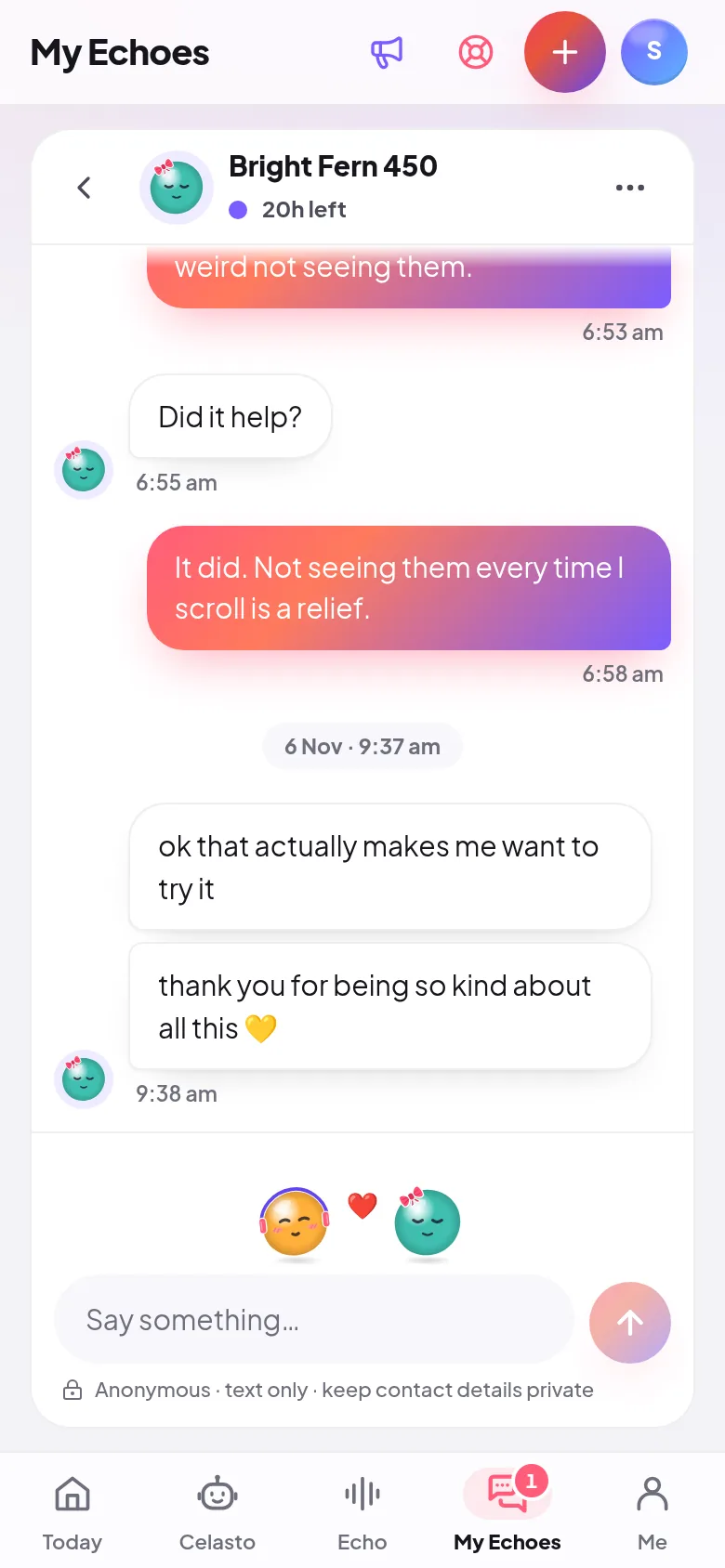
Your conversations live together in My Echoes. Two people, two pets, and room to talk about what today feels like.
- Your pets wave, laugh and offer a little comfort as you chat.
- After 24 hours, choose whether to keep each other. Both say yes to mark the chat as kept; taking your time won’t close it.
- Start a voice call when you both feel ready. Keep ByeByeX open while you talk.
Each chat has its own alias. Your real voice may still be recognisable.
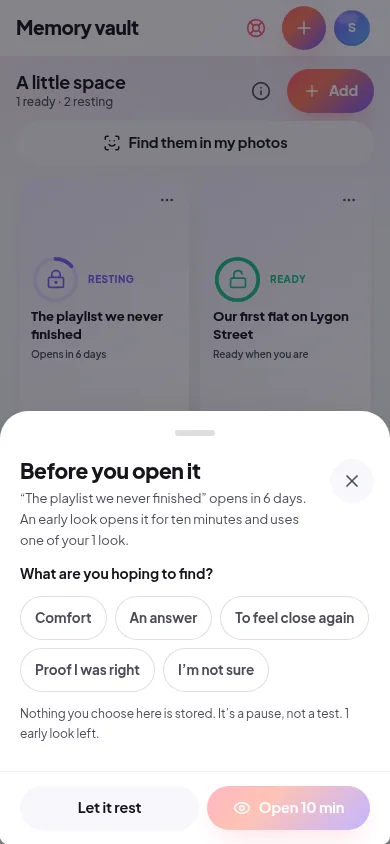
Not ready to delete.
Ready for some distance.
A separate vault for each ex. Face matching happens on your phone, and only photos you confirm are saved.
- Choose what goes inReview the matching photos before you save them.
- Give yourself some spaceLock them for a week to five years. During the lock, you see mosaics only.
- Come back when it’s timeWhen the lock ends, viewing is free. Download, lock again or delete.
About locks, phone photos and early looks
- In supported app builds, you can confirm removal of saved originals from your phone. Other browsers provide a manual checklist.
- Locked photos can’t be downloaded or deleted individually. Deleting your account always deletes every vault photo.
- An early look lets you see up to 10 locked photos for one minute, and you can add more. Early looks are paid separately, and payments aren’t open yet.
A little more like you.
Dress up your pet, pick an opening theme and manage your reminders. Plus and Pro unlock more accessories and home screen icons on supported Android and iPhone builds.
Explore what’s includedA little space, at every level.
See what each plan includes, side by side.
Swipe across to compare all three plans.
| Included | Free | Plus | Pro |
|---|---|---|---|
| Celasto messages | 20 a day | 50 a day | 80 a day |
| Celasto voice calls | One 5-minute trial | 30 minutes a month | 100 minutes a month At most 30 a day |
| Read aloud | Your phone’s voice | Celasto’s voice 20,000 characters a month | Celasto’s voice 50,000 characters a month |
| Mood Mirror | 3 a day | 10 a day | 10 a day |
| Vault | 100 photos | Unlimited photos | Unlimited photos |
| Echo | Discoverable only | 2 introductions a day | 5 introductions a day |
| Dress-up: pet accessories and opening themes | Basics | Everything | Everything |
| Home screen icons in supported Android and iPhone builds | Classic | Classic, Tide, Midnight | Classic, Tide, Midnight |
| Top-up | — | Call packs of 10, 20 or 100 minutes, each with free messages and Echo introductions | Call packs of 10, 20 or 100 minutes, each with free messages and Echo introductions |
Every plan has a 5 GB vault limit. Call packs add minutes of calls with Celasto, and come with messages and Echo introductions free. Early looks are paid separately.
Who can see what you share?
- Vault face matching runs on your phone, and only photos you confirm are saved.
- Echo uses aliases in chats and community posts. Members’ identities and stories are unverified.
- You can end a chat, report a concern or block a person.
- ByeByeX is not a crisis service. For help now, call Lifeline on 13 11 14. In an emergency, call 000.
Celasto: AI, voice and data storage
Celasto’s online AI and voice run on OpenAI and ElevenLabs: chats go through our server, and calls connect your microphone to them directly. AI request, reply and call-audio backups are stored on our private core server. Older backups may also remain in mainland China (Alibaba Cloud). Account deletion requests removal of these backups too.
Echo: AI characters and content review
AI characters are labelled, with fictional stories and photos. AI text chats are optional and cannot make voice calls. Our moderation team may review shared Echo posts, stamped photos and reported messages. Private vault photos and unreported conversations are not available in the moderation console. Daily activity counts are kept for 90 days, with AI activity measured separately.
Echo: voice calls and your privacy
Echo voice calls use encrypted audio through a relay. The other person does not receive your network address, and ByeByeX does not record the call. Your voice can still identify you, and the other person could make their own recording.
Optional notifications and reminders
Phone message alerts are optional and use Apple Push Notification service or Firebase Cloud Messaging. A notification token is linked to your current sign-in; alerts do not show names or message previews. You can turn them off in Me → Permissions or your phone’s settings. Background delivery depends on the app version, available push configuration and your phone.
Optional return reminders stay on your phone. After at least three days away, one reminder may appear between 9 am and 8 pm, no more than once a week. The wording does not use your conversations or mood. Opening the app postpones it; turning reminders off or signing out cancels it.
Update ByeByeX on Android
Open or switch back to ByeByeX on your Android phone. When you’re signed in and a newer version is available, tap Update. If you dismissed it, open Me → Account → Check for app updates. This works even after your invite expires.
Open the downloaded APK. If Android asks, allow your browser to install it, then choose Update. Keep your existing app installed.
For a first install or to download again, open the private link in your invite email on your Android phone. Returning testers should use the same browser as before, then tap Download update.
Open my invite link
If you need a fresh invitation for this phone, reply to your invite email. New here? Join the waitlist.
Your next chapter.
At your own pace.
We’re opening ByeByeX a few people at a time. Leave your email and we’ll send your private invite when it’s your turn.
Join the waitlist